
GPT 5.1 vs Gemini 3 – 2025's Best AI Web Design Tool
Compare GPT 5.1 and Gemini 3 for AI web design in 2025. Discover which tool wins for speed, design quality, and landing page development.

One prompt. Production-ready landing page. This is no longer science fiction—it's 2025 reality.
The AI web design market is exploding. From $715 million in 2025 to a projected $2.72 billion by 2035, AI-powered design tools are reshaping how we build for the web. At the center of this revolution stand two giants: GPT 5.1 and Gemini 3.
But here's the critical question every developer and designer faces today: which tool should you choose for your next project?
In this guide, we'll compare GPT 5.1 and Gemini 3 from a practical, real-world perspective. We'll examine their strengths, expose their limitations, and show you when to use each tool—plus the secret ingredient that makes both tools work even better.
GPT 5.1 - Speed and Practicality Champion
GPT 5.1 is dramatically faster than its predecessor GPT-5. While GPT-5 made you wait a full minute for results, GPT 5.1 delivers near-instantaneous responses. When you're iterating rapidly on a landing page design, this speed difference is game-changing.
Core Strengths of GPT 5.1
SWE-bench Verified Champion: GPT 5.1 achieved an impressive 76.3% on the SWE-bench Verified test, demonstrating superior coding capability. This benchmark tests real-world software engineering tasks, and GPT 5.1's performance means it generates more functionally correct code on the first try.
Adjustable Coding Personality: Unlike most AI models with fixed behavior, GPT 5.1 offers tunable coding styles. Need verbose comments? Prefer minimal boilerplate? You can adjust the model's approach to match your team's coding standards.
Practical Frontend Design: Even with low reasoning effort, GPT 5.1 produces functional, usable frontend designs. It prioritizes working code over perfect aesthetics—which matters when you're validating ideas quickly.
Distinctive Design Aesthetic: GPT 5.1 has a notable preference for gradients. If you've used it extensively, you've seen the pattern: purple-to-blue gradients, soft color transitions, and modern glass-morphism effects. This consistency can be a feature or limitation depending on your needs.
When GPT 5.1 Excels
GPT 5.1 shines in scenarios requiring rapid iteration:
// GPT 5.1 generates clean, functional code fast
export function Hero() {
  return (
    <section className="bg-gradient-to-br from-purple-600 to-blue-500 px-6 py-24">
      <div className="mx-auto max-w-4xl text-center">
        <h1 className="text-5xl font-bold text-white">
          Ship Your Landing Page Today
        </h1>
        <p className="mt-6 text-lg text-purple-100">
          Production-ready components, zero configuration
        </p>
        <div className="mt-8 flex justify-center gap-4">
          <button className="rounded-lg bg-white px-6 py-3 font-semibold text-purple-600 hover:bg-gray-50">
            Get Started
          </button>
        </div>
      </div>
    </section>
  );
}
The code works immediately. It's responsive, accessible enough for MVP validation, and ships with sensible defaults. For founders building MVPs or developers prototyping features, this speed-to-function ratio is invaluable.
Gemini 3 - Design Quality Pinnacle
While GPT 5.1 optimizes for speed, Gemini 3 optimizes for quality. Google's latest model tops the WebDev Arena leaderboard with an Elo rating of 1487, outperforming all competitors in web development tasks.

What Sets Gemini 3 Apart
WebDev Arena #1 Ranking: Gemini 3 consistently produces higher-quality web interfaces than any other model. The WebDev Arena leaderboard ranks models based on real developer preferences in blind tests—and Gemini 3 dominates.
Designer-Like Workflow: Gemini 3 approaches web design like a skilled UI designer. It starts with wireframe-level structure, progressively refines layouts, and delivers high-fidelity prototypes with polished details. This mirrors how professional designers work, resulting in more thoughtful compositions.
Generative UI Leadership: Research shows users prefer Gemini 3's generative UI output 90% more than traditional websites, and 97% more than text-only responses. The interfaces feel crafted, not generated.
Vibe Coding and Agentic Coding Excellence: Google describes Gemini 3 as their best model for both "vibe coding" (describing desired outcomes naturally) and "agentic coding" (autonomous multi-step development). This versatility makes Gemini 3 adaptable to different development styles.
When Gemini 3 Excels
Gemini 3 delivers superior results for projects where design quality directly impacts success:
// Gemini 3 generates more sophisticated, polished components
export function PricingCard({ tier, price, features, highlighted }: Props) {
  return (
    <div
      className={cn(
        "group relative overflow-hidden rounded-2xl border p-8 transition-all duration-300",
        highlighted
          ? "border-purple-500 bg-gradient-to-br from-purple-50 to-white shadow-xl scale-105"
          : "border-gray-200 bg-white hover:border-purple-300 hover:shadow-lg"
      )}
    >
      {highlighted && (
        <div className="absolute -right-12 -top-12 h-24 w-24 rounded-full bg-gradient-to-br from-purple-400 to-pink-400 opacity-20 blur-2xl" />
      )}
      <div className="relative">
        <h3 className="text-2xl font-bold text-gray-900">{tier}</h3>
        <div className="mt-4 flex items-baseline">
          <span className="text-5xl font-bold tracking-tight text-gray-900">
            ${price}
          </span>
          <span className="ml-2 text-gray-500">/month</span>
        </div>
        <ul className="mt-8 space-y-4">
          {features.map((feature) => (
            <li key={feature} className="flex items-start">
              <CheckIcon className="mr-3 h-6 w-6 flex-shrink-0 text-purple-500" />
              <span className="text-gray-700">{feature}</span>
            </li>
          ))}
        </ul>
      </div>
    </div>
  );
}
Notice the attention to detail: gradient overlays for visual depth, smooth transitions, proper spacing hierarchy, and thoughtful hover states. This level of polish requires minimal tweaking to ship.
Real-World Comparison - When to Use Which?
Let's compare GPT 5.1 and Gemini 3 across the criteria that matter for landing page development:

| Criteria | GPT 5.1 | Gemini 3 |
|---|---|---|
| Speed | ⭐⭐⭐⭐⭐ Instant | ⭐⭐⭐⭐ Fast |
| Design Quality | ⭐⭐⭐⭐ Good | ⭐⭐⭐⭐⭐ Exceptional |
| Complex Layouts | ⭐⭐⭐ Adequate | ⭐⭐⭐⭐⭐ Outstanding |
| Animations | ⭐⭐⭐ Basic | ⭐⭐⭐⭐ Advanced |
| Code Quality | ⭐⭐⭐⭐⭐ Excellent | ⭐⭐⭐⭐ Very Good |
| Iteration Speed | ⭐⭐⭐⭐⭐ Immediate | ⭐⭐⭐⭐ Quick |
| Best For | Rapid prototyping, MVPs | Client work, polished products |
Decision Framework
Choose GPT 5.1 when:
- You're validating ideas and need speed over polish
- You're building internal tools where aesthetics matter less
- You want maximum iteration velocity
- You need functional code immediately
- Budget or timeline constraints are tight
Choose Gemini 3 when:
- Design quality directly impacts conversion rates
- You're building client-facing products
- Visual differentiation is competitive advantage
- You need complex layouts with sophisticated interactions
- You have time to refine and customize outputs
The truth? Most professional projects benefit from using both strategically. Use GPT 5.1 for rapid exploration and initial structure, then refine key sections with Gemini 3 for polish.
Common Limitations of AI Design Tools
Both GPT 5.1 and Gemini 3 share fundamental limitations inherent to AI-generated design. Understanding these constraints is crucial for setting realistic expectations and planning your workflow.
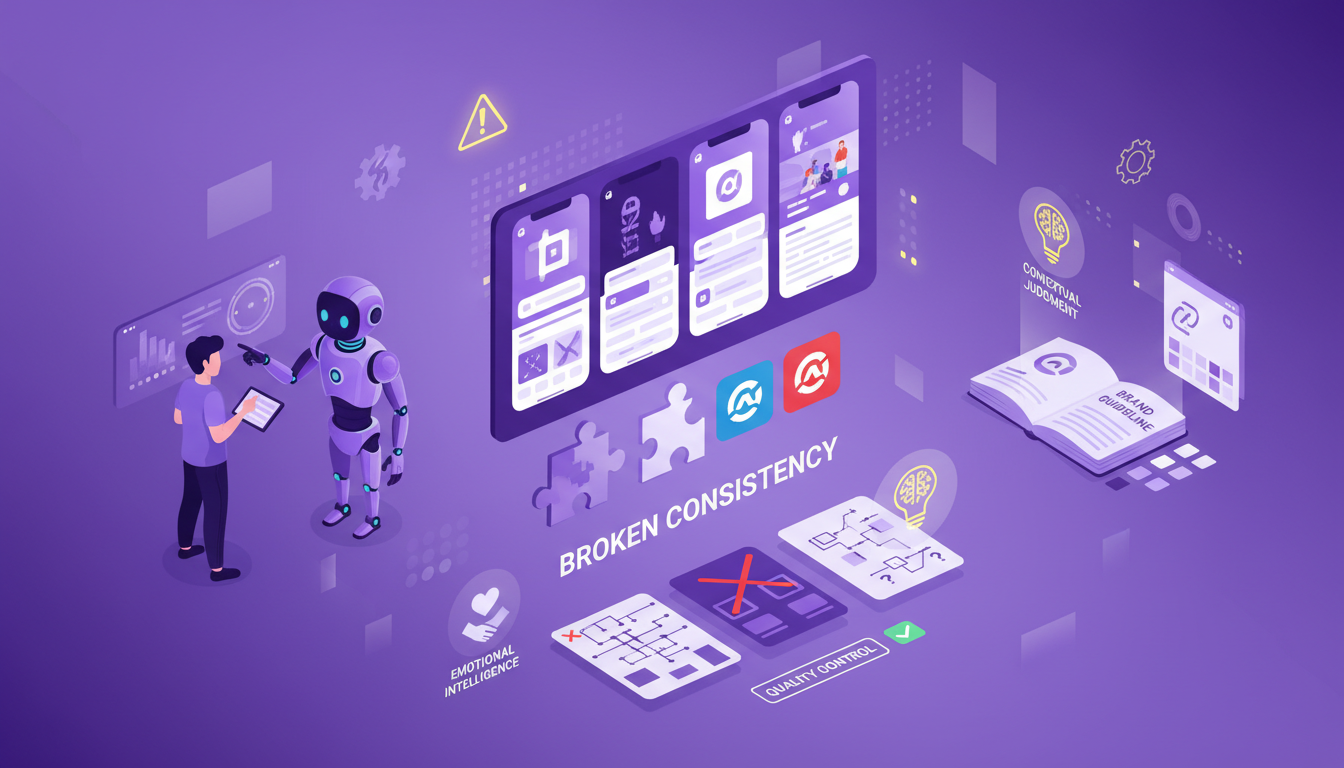
Variable Quality Output
Run the same prompt twice, get different results. This inconsistency affects both models, though Gemini 3 shows slightly more stability in design decisions.
The problem: You generate a beautiful hero section at 2pm. At 4pm, you need a similar pricing section, but the aesthetic is completely different—different colors, different spacing, different component styles.
Why it happens: AI models introduce randomness (temperature) to avoid repetitive outputs. This creativity is a feature for content generation, but a bug for design systems requiring consistency.
Brand Consistency Challenges
Neither GPT 5.1 nor Gemini 3 inherently understands your brand guidelines. Every generation invents new interpretations unless you provide extensive context in every prompt.
The problem: Your brand uses forest green as primary color and geometric sans-serif typography. AI defaults to purple gradients and system fonts unless reminded constantly.
The impact: Building a cohesive multi-page site requires manually enforcing consistency across dozens of AI-generated components—precisely the tedious work you hoped AI would eliminate.
Lack of Contextual Judgment
AI excels at technical execution but struggles with strategic design thinking. It can't evaluate whether a design choice aligns with business goals, audience psychology, or brand positioning.
What AI misses:
- Brand Voice: A playful startup needs different aesthetics than an enterprise SaaS platform
- Emotional Resonance: Design choices that build trust vs. excitement vs. urgency
- UX Strategy: Information hierarchy based on user journey and conversion goals
- Cultural Context: Design patterns that resonate with specific geographic or demographic audiences
Human designers bring years of experience evaluating these contextual factors. AI generates technically competent designs lacking this strategic depth.
Why This Matters for Landing Pages
Landing pages are unique: they're not just functional interfaces—they're conversion tools. Every color, every word placement, every animation exists to guide visitors toward a specific action.
Generic AI-generated components, however beautiful, often miss this conversion-optimization thinking. This is where validated, professionally designed component libraries become essential.
The Optimal Workflow - AI + Validated Components
The most effective landing page workflow in 2025 isn't "AI vs. human design"—it's strategic combination of both. Here's the approach top developers are using:
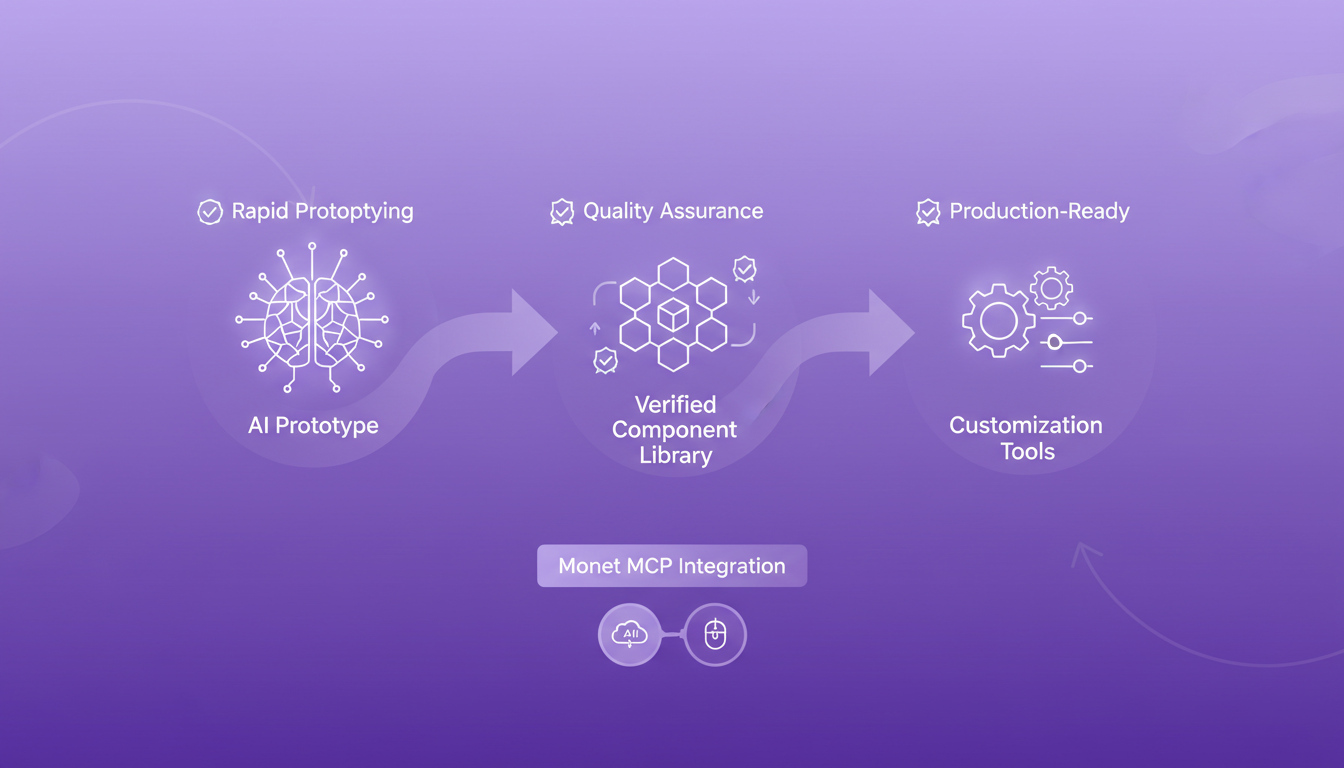
Three-Stage Workflow
Stage 1: Rapid Prototyping with AI
Use GPT 5.1 or Gemini 3 to quickly explore layout options, test messaging variations, and generate initial structure.
# Example prompt
"Create a SaaS landing page with these sections:
- Hero with email capture and social proof
- Three-column feature grid with icons
- Pricing comparison table (3 tiers)
- Testimonial carousel
- CTA section with gradient background"
Within minutes, you have a functional prototype to evaluate structure and flow.
Stage 2: Replace Core Sections with Validated Components
Swap AI-generated placeholders with production-tested components that guarantee quality and consistency.
This is where Monet becomes invaluable. Instead of iterating endlessly to fix AI-generated hero sections, pricing tables, or feature grids, you use pre-validated components designed specifically for conversion-focused landing pages.
// Replace AI prototype with Monet components
import { HeroGradient } from "@/components/monet/hero-gradient";
import { PricingThreeTier } from "@/components/monet/pricing-three-tier";
import { FeatureGrid } from "@/components/monet/feature-grid";

export default function LandingPage() {
  return (
    <>
      <HeroGradient
        headline="Ship Landing Pages 10x Faster"
        description="Production-ready React sections, not scattered components"
        primaryCTA="Browse Components"
        secondaryCTA="View Pricing"
      />
      <FeatureGrid features={features} />
      <PricingThreeTier tiers={pricingData} />
    </>
  );
}
Every Monet component is:
- Production-tested: Validated in real projects, not theoretical demos
- Conversion-optimized: Designed with CRO best practices built-in
- Fully customizable: Copy-paste approach means you own the code completely
- AI-native: MCP integration lets AI assistants discover components automatically
Stage 3: Customize and Polish
With solid foundations from validated components, use AI selectively to generate custom elements unique to your project—specialized forms, unique interactions, or brand-specific sections.
Why This Workflow Works
This approach gives you the best of three worlds:
- AI Speed: Rapid exploration and custom element generation
- Validated Quality: Professional designs proven to convert
- Full Control: Complete code ownership for customization
The result? Landing pages that ship faster, look professional, and actually convert—without the endless iteration cycles of pure AI generation.
Monet's AI-Native Design
Monet is built for this exact workflow. The MCP (Model Context Protocol) integration enables AI assistants like Claude Code and Cursor to search and recommend Monet components conversationally.
Setup for Claude Code:
claude mcp add --transport http monet-mcp https://www.monet.design/api/remote/mcp --header "Authorization: Bearer your-api-key-here"Setup for IDEs (Cursor, etc.):
Add to ~/.cursor/mcp.json:
{
  "mcpServers": {
    "monet-mcp": {
      "url": "https://www.monet.design/api/remote/mcp",
      "headers": {
        "Authorization": "Bearer your-api-key-here"
      }
    }
  }
}
Get your API key from the Monet MCP page.
After setup, you can have conversations like:
"I need a hero section with gradient background, email capture, and trust badges for my B2B SaaS product."
Your AI assistant searches Monet's library and suggests production-ready options with code included.
Conclusion - Choose Speed or Quality, Then Add Foundation
The GPT 5.1 vs Gemini 3 decision comes down to your immediate needs:
GPT 5.1 wins when rapid iteration is paramount. Use it for MVPs, internal tools, and quick validation where functional matters more than beautiful.
Gemini 3 wins when design quality differentiates your product. Use it for client work, consumer-facing products, and projects where visual polish drives conversion.
But here's the critical insight: neither tool alone is enough for professional landing pages.
AI generates code. Validated component libraries provide the design systems, conversion optimization, and brand consistency that AI can't deliver alone. The winning combination is strategic: use AI for speed and exploration, validated components for quality and reliability.
Start with Quality Foundations
Ready to build landing pages that combine AI speed with professional design quality?
Monet's component gallery provides production-ready sections designed for conversion—hero sections, pricing tables, feature grids, testimonials, and CTAs that work immediately. Copy the code, customize to your brand, and ship with confidence.
For AI-native workflows, set up MCP integration so your coding assistant can discover and recommend components automatically. Get the speed of AI generation with the reliability of professionally designed components.
The future of web design isn't AI or human—it's AI augmented by human expertise, crystallized into validated, reusable components. GPT 5.1 and Gemini 3 are powerful tools. Pair them with quality foundations, and you'll ship landing pages faster and better than ever before.
Browse the Monet component gallery now and experience the difference between AI-generated placeholders and production-ready sections designed to convert.
Stay Updated
Get the latest tutorials, tips, and component updates delivered to your inbox.


